Docker Deployment
Running with docker run
You can start the Fleare service using the docker run command while passing a YAML configuration as an environment variable.
Command:
docker run -p 9219:9219 --name fleare_service --restart unless-stopped extendsware/fleare:latest
Command with config:
docker run -e "config=$(cat config.yaml)" -p 9219:9219 --name fleare_service --restart unless-stopped extendsware/fleare:latest
Explanation:
-
-e "config=$(cat config.yaml)": Reads the contents ofconfig.yamland passes it as an environment variable. -
-p 9219:9219: Maps port 9219 from the container to the host. -
--name fleare_service: Assigns a name to the running container. -
--restart unless-stopped: Ensures the container restarts unless manually stopped. -
extendsware/fleare:latest: Uses the latest version of the Fleare image.
Running Fleare with Docker Compose
You can use docker-compose to define and manage the Fleare service.
docker-compose.yml Example:
  version: '3.8'

services:
  fleare:
    image: extendsware/fleare:latest
    container_name: fleare_service
    ports:
      - "9219:9219"  # Adjust as needed
    restart: unless-stopped
    environment:
      config: |
        security:
          enable_auth: true
          auth_method: "basic"
          users:
            - username: "root"
              password: "root"
              role: "root"
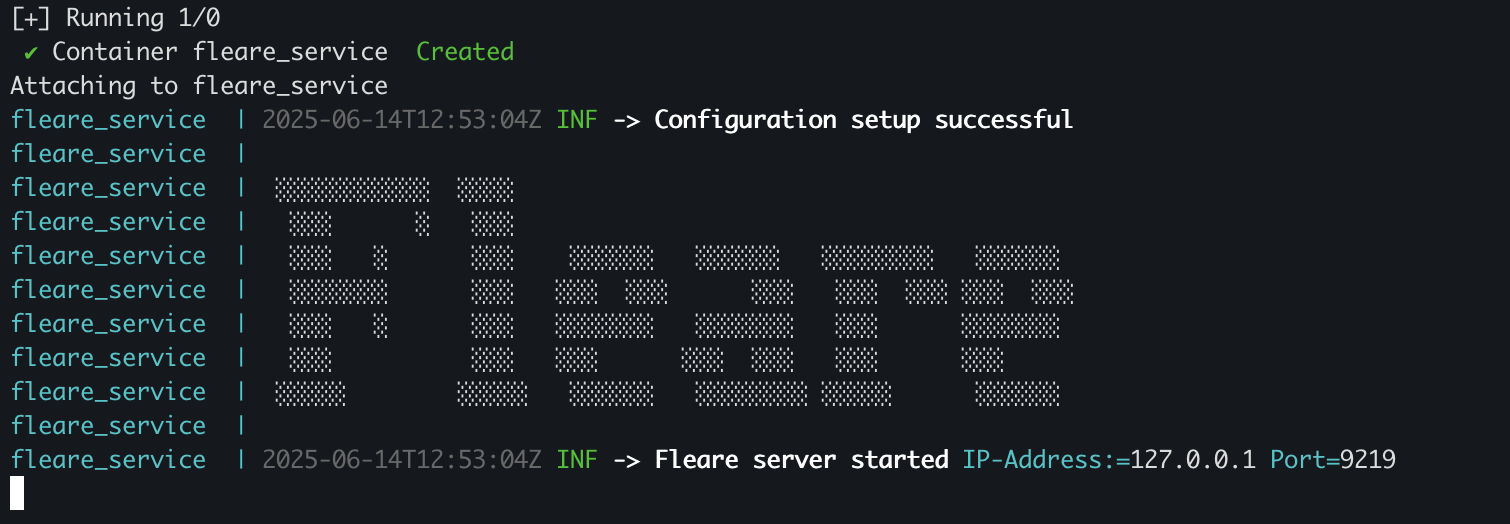
Output
Explanation:
-
version: '3.8': Specifies the Docker Compose file format version. -
services: Defines containerized services. -
fleare: Name of the service. -
image: extendsware/fleare:latest: Uses the latest Fleare image. -
container_name: fleare_service: Assigns a fixed name to the container. -
ports: Maps container ports to host ports. -
restart: unless-stopped: Ensures the container restarts unless manually stopped. -
environment: Defines environment variables for the container. - Theconfigvariable contains YAML-style authentication settings: - Enables authentication. - Usesbasicauthentication. - Defines users with usernames and passwords.
Deploying with Docker Compose
To deploy using Docker Compose, run:
docker-compose up -d
Stopping the Service
docker-compose down
Verifying the Deployment
After deployment, verify the service is running with:
docker ps
Check logs:
docker logs fleare_service
This setup ensures a secure and manageable Fleare deployment using Docker.